EXAMPLE
What your guests see.
A walkthrough with real screenshots of a sample condo. The text and photos are fictional. Screenshots show the app in Spanish.
The booking page
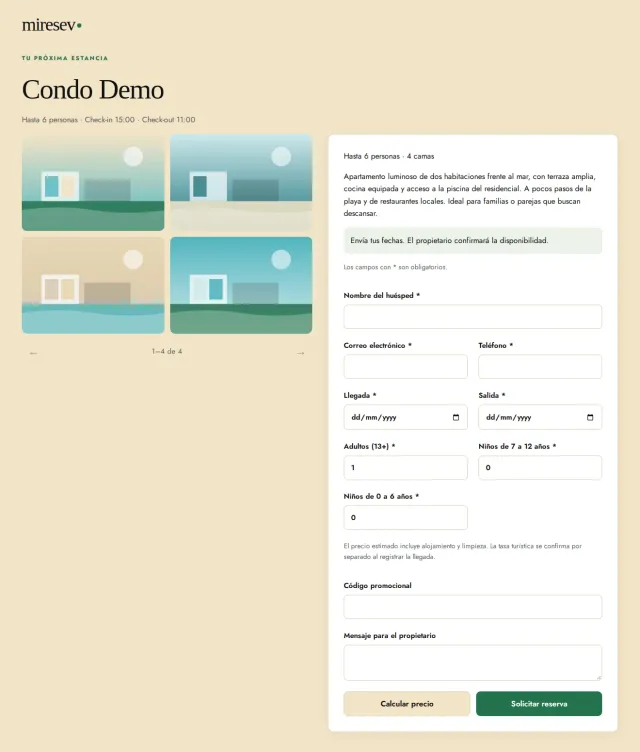
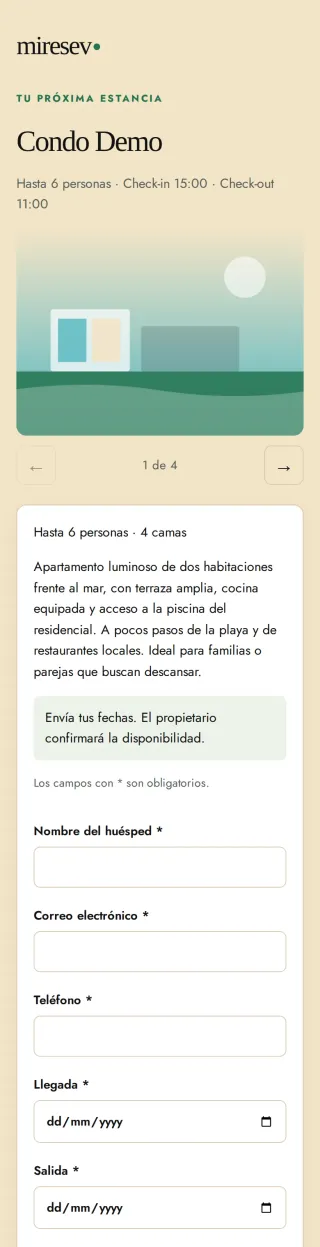
Each condo has its own page with photos, a description and a form to request dates. Guests can calculate a price and send their request from a computer or phone.
Information for their stay
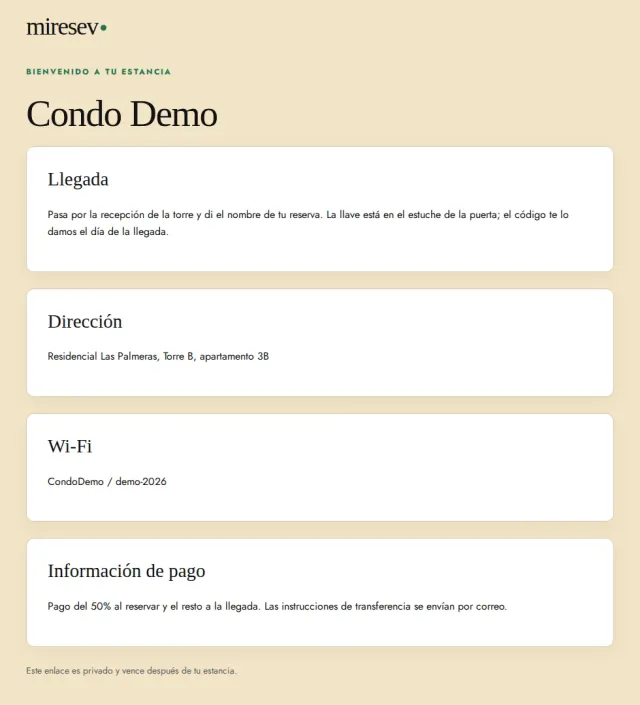
When the booking is confirmed, your guest receives the location, Wi-Fi details, and arrival and payment instructions you have saved directly in the confirmation email. You can also create a private link as an optional alternative, as shown in this example.
What you see
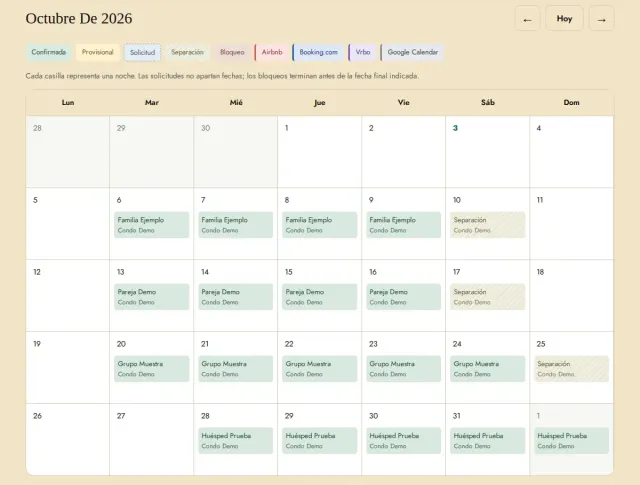
With Rental or Real Estate, your calendar brings together stays across all your condos. Each confirmed booking appears on its nights, with a buffer night before the next stay, and you can block dates whenever you need to.
This is how your condo can look.
Create your free account and list your first condo with its own booking page.