Good Airbnb checkout instructions are short. They tell guests when to leave, how to lock up and where the keys go, and that’s about it. This guide is for owners and managers of vacation rental condos and apartments. You’ll find a guest-facing departure template you can copy, a look at what Airbnb currently allows you to ask, where the instructions should appear, and a hypothetical example. It’s about what the guest reads, not the work your cleaner does afterwards. That’s covered in the Airbnb cleaning checklist for turnovers.
What Airbnb lets you ask at checkout today
Before you write anything, check the current rules. Lists of checkout chores that get passed around online are often out of date or simply against policy.
In its Resource Center article on a clear and simple checkout, Airbnb says hosts add checkout requests in the listing editor, under the “Before checkout” section. Guests see these requests on the listing before they book, and again in their Trips tab afterwards. Airbnb also sends guests notifications with the checkout time and instructions. The article gives “turn off the lights when you leave” as an example of the kind of request that works. It warns that asking guests to do tasks a cleaner should handle can hurt their stay and your reviews. Requests have to follow Airbnb’s house rules policy, guests can say in their feedback whether a request felt excessive, and listings that keep getting low ratings for unreasonable requests can be removed.
Airbnb’s ground rules for guests cover the other side. Guests are expected to finish checking out, including returning the key, by the checkout time. Hosts can’t charge guests for skipping specific cleaning or checkout tasks. Cleaning fees are meant to cover standard cleaning between reservations, while guests can be asked to pay reasonable reimbursement for damage, missing items or unexpected cleaning costs.
Both pages can change, so reread them before you edit your listing. Here’s the practical takeaway: keep your requests few, simple and visible before the booking is made, and leave the cleaning to your team.
The checkout instructions template
Copy this, replace the brackets and remove any line that doesn’t apply to your condo. Aim for something a tired guest can read in under a minute.
Checkout: [condo name]
Checkout is by [time] on your departure day.
Before you go, please:
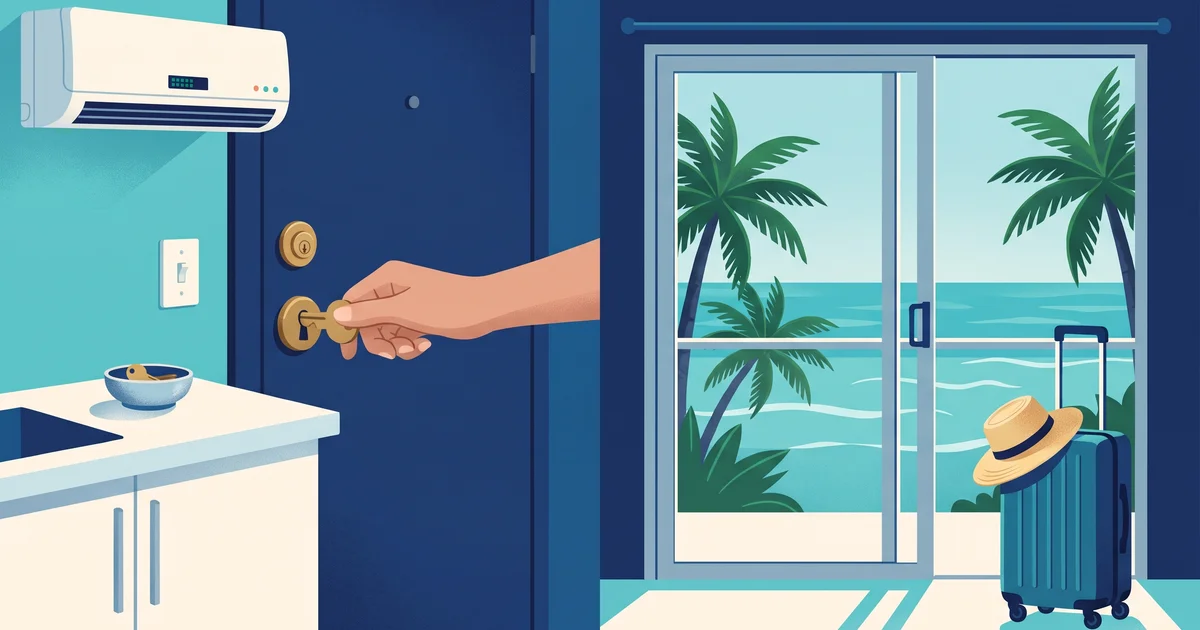
- Turn off the air conditioning and the lights.
- Close the balcony door and the windows.
- Lock the main door [how: pull until it clicks / turn the key twice].
- Leave the keys [exact place: on the kitchen counter / in the lockbox at (location)] or return them to [reception / person].
If anything broke or stopped working during your stay, just let me know in the message thread. Accidents happen, and it helps us get the condo ready for the next guest.
Need a later checkout? Ask me at least [number] hours before and I’ll check whether the next booking allows it. Please don’t stay past checkout time unless I’ve confirmed it.
Thanks for staying with us, and have a safe trip.
What’s not on that list matters too. There’s nothing about stripping beds, washing dishes, starting laundry or taking trash out of the building. If you want the guest to know where the bins are, mention it in your welcome book as information rather than a chore.
Where the instructions should appear
The same wording should live in a few places, so guests don’t get three different versions:
- Airbnb listing editor, under checkout requests, so guests see it before booking.
- Your welcome book, in its departure section. The welcome book template shows how to separate public details from private ones.
- A reminder the evening before checkout, sent through the reservation thread. The Airbnb message templates include one you can adapt.
- Your house rules, if checkout time or key return is part of them. See the house rules template.
- Direct bookings and other platforms. Use the same text, but check each platform’s own rules before you publish it there.
When something changes, like a new lockbox, update all of these on the same day.
A checklist before you publish
- Checkout time matches the listing settings on every channel.
- Each request is one short line, and there are no more than four or five.
- No request is a cleaning task.
- The key or lockbox instructions are exact, and access codes only go to confirmed guests through the reservation thread.
- There’s a clear way to report damage without blaming the guest.
- Late checkout is described as something you’ll check, not a promise.
- The same wording appears in the listing, the welcome book and your reminder message.
A hypothetical example: one condo, a late checkout request
This example is fictional and only illustrates the process.
Daniela owns a one-bedroom condo she lists on Airbnb and Booking.com and also rents through direct requests. She trims her old checkout note from nine items to the four in the template and pastes it into the Airbnb listing editor, her Booking.com listing and her welcome book.
On a Thursday, a returning guest sends a direct inquiry for Friday to Monday. Daniela checks Airbnb and Booking.com at that moment, and also her own record of direct requests. The nights are free, and nothing else is pending for that condo. She replies with the dates, guest count, total and her checkout time, and the guest accepts. She confirms in writing, then blocks Friday to Sunday night on Airbnb and Booking.com, the only two platforms where this condo is listed, and checks that both show the nights as unavailable. The steps are in how to block dates on Airbnb and Booking.com.
On Sunday evening she sends the checkout reminder. The guest asks to leave two hours later on Monday. Before answering, Daniela checks all three places again. An Airbnb booking now starts Monday afternoon, so she offers one extra hour instead of two, which still leaves her cleaner enough time. The guest agrees, and Daniela tells the cleaner the new time.
Where checkout fits in your process
Checkout is the last step of each booking, and that booking started with an inquiry and an availability check. If you want that whole flow written down, see how to organize vacation rental bookings. If you’re still setting up your first listing, how to start a short-term rental covers house rules and arrival planning. And if you run the condo yourself, how to manage your own vacation rental helps you decide who handles checkouts and turnovers.
Where Miresev fits
Miresev doesn’t edit your Airbnb listing or send messages inside Airbnb. For direct bookings, each condo has its own booking page where guests send requests. When you confirm a booking, the guest receives an email with the location, Wi-Fi and the arrival and payment instructions you’ve saved. Your checkout template can sit next to that information in your welcome book and messages.
Some features, like the condo calendar, manual blocks and external calendars, need a paid plan, so check what each plan includes on the pricing page before you count on them. If you’d like to start with a direct booking page for one condo, you can create your Miresev account and check afterwards which plan fits.
Frequently asked questions
What should Airbnb checkout instructions include?
The checkout time, how to lock up, where the keys go and one or two simple requests, such as turning off the lights and air conditioning. Add a line on how to report damage and how to ask for a late checkout.
Can I ask Airbnb guests to strip the beds or do the dishes?
Airbnb advises against requests that are really a cleaner’s job and says hosts can’t charge guests for skipped cleaning or checkout tasks. Keep requests light and leave cleaning to your turnover routine.
Where do guests see my checkout instructions on Airbnb?
According to Airbnb, requests you add in the listing editor show on the listing before booking and in the guest’s Trips tab. Airbnb also sends guests notifications with the checkout time and instructions.
Should I send a checkout reminder?
Yes. A short message the evening before, through the reservation thread, repeats the time and key instructions and gives the guest a chance to ask about a late checkout before the day itself.