Good Airbnb message templates save you from typing the same check-in directions at midnight, and they keep every guest getting the same clear information whoever is answering. This guide is for owners and managers of one to three vacation rental condos. It gives you six copy-ready messages covering the stay itself: booking confirmed, pre-arrival, first morning, mid-stay problems, checkout and follow-up. It also covers when to send each one, what to keep out of them, and a checklist to review your set.
It doesn’t cover replying to direct booking requests or moving a guest’s dates. Those have their own guides: how to handle direct booking requests and how to change dates on a direct booking.
Before you write: one fact sheet per condo
Templates go wrong when the facts behind them are scattered. Before writing anything, put these in one document per condo:
- Check-in and checkout times, and your policy on early arrival or late checkout.
- How to get in: building entrance, reception, parking, elevator, which door.
- Wi-Fi name, and where the password is shown.
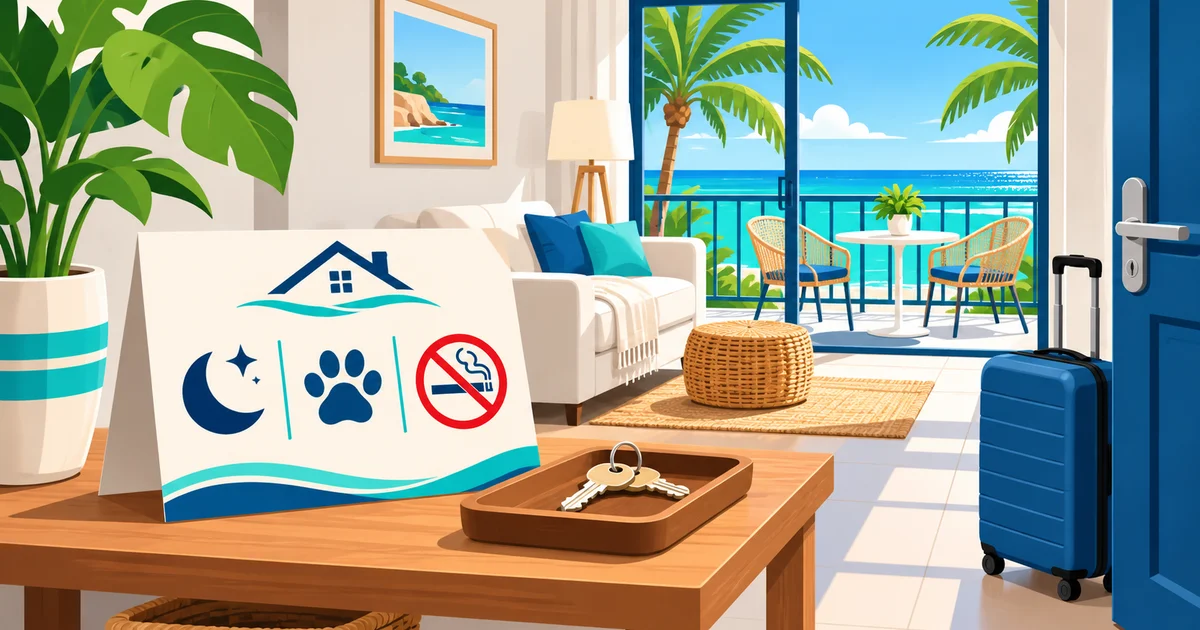
- House rules in short form. If you haven’t written them yet, start with the house rules template.
- Who to contact for problems, and at what hours.
- What you ask at checkout, kept short and reasonable.
Every template below pulls from this sheet. When something changes, such as a new parking spot, you update the sheet and then each template, instead of hunting through old chats.
Where templates live on Airbnb
Airbnb has its own tools for this. Its Resource Center article on using quick replies describes a quick reply as a short, pre-written message saved as a template in your messaging settings, with placeholders that fill in guest details. The same article explains that you can schedule a quick reply to go out at a set moment, and suggests timings such as booking confirmation, one or two days before check-in, after the first night, the evening before checkout and a day or two after departure. Menu names change, so check that article for the current steps.
Airbnb’s help article on managing guest messages explains that, once a reservation is confirmed, hosts are added to a group thread with the booker, co-hosts and additional guests. Keep your conversation with Airbnb guests in that thread so there’s a record.
Two habits help: preview every scheduled message on a test, and read it once as if you were a guest arriving tired at night.
The six templates
Replace the brackets with your own details. Keep each message to one topic.
1. Booking confirmed
Hi [guest name], thanks for booking [condo name] from [check-in date] to [checkout date]. Check-in is from [time] and checkout is by [time]. I’ll send arrival directions [one or two days] before you arrive. If you have questions about the area or the condo before then, just reply here.
2. Pre-arrival (one or two days before)
Hi [guest name], here’s what you need for [day]: the building is at [general directions or landmark]. When you arrive, [how to get in: reception, lockbox, meeting point]. Parking: [details]. The Wi-Fi details are in [where]. The welcome book in the condo covers appliances and the area. If your arrival time changes, please let me know here so I can plan.
Send door codes and exact access steps only through the reservation thread, and only for confirmed guests. The welcome book template helps you separate public details from private ones.
3. First morning check
Good morning [guest name], I hope you slept well. Is everything working as expected: hot water, air conditioning, Wi-Fi? If anything is missing, tell me and I’ll sort it out.
This short message catches small problems while they’re still small, before they turn into a review.
4. Mid-stay: replying to a problem
Thanks for letting me know about [issue], [guest name]. I’m sorry for the trouble. [What you’ll do] and I’ll update you by [time]. In the meantime, [temporary fix, if any].
Promise a next step and a time, not an outcome you haven’t checked. If the guest asks to stay longer, check availability before you answer (see the example below).
5. Checkout reminder (evening before)
Hi [guest name], a quick reminder that checkout is tomorrow by [time]. Before you leave, please [one or two short requests, such as lock the door and leave the keys in (place)]. Thanks for looking after the place, and have a safe trip.
Keep checkout requests brief. Cleaning belongs to your team; the cleaning checklist covers what Airbnb lets you ask guests to do at checkout.
6. Follow-up (a day or two after departure)
Hi [guest name], thanks again for staying at [condo name]. If anything could have been better, I’d really like to know. And if you found something left behind, or left something yourself, reply here.
A hypothetical example: one condo, one extra night
This example is fictional and only illustrates the process.
Ana owns one condo, listed on Airbnb and on her own direct booking page. It isn’t on Booking.com. A guest arrives on Thursday for three nights. Her scheduled messages handle confirmation, arrival directions and the first-morning check.
On Saturday the guest writes asking for one more night. Ana doesn’t say yes in the chat. She checks the Airbnb calendar and her direct bookings record for Sunday night: no stays and no pending direct requests. There’s nothing to check on Booking.com because the condo isn’t listed there. She replies that the night is free and asks the guest to request the change through Airbnb, so the booking stays on the platform. Once the change is accepted, she updates her records so Sunday night isn’t offered to anyone on her direct page, and moves her cleaner to Monday.
Checklist for your message set
- One fact sheet per condo, kept up to date.
- Six templates written, each on one topic.
- Access details sent only to confirmed guests, through the reservation thread.
- Scheduled messages previewed with real dates and names.
- Checkout requests short and reasonable.
- Extension requests answered only after checking every channel where that condo is listed.
- Templates reviewed whenever the fact sheet changes.
Where Miresev fits
Miresev doesn’t send or schedule messages inside Airbnb. Its calendar links share booked dates, not prices or messages, so your Airbnb templates stay in Airbnb. For direct bookings, Miresev’s booking page lets guests send requests, and when you confirm a booking the guest receives an email with the location, Wi-Fi and arrival and payment instructions you’ve saved. That’s the direct-booking version of templates 1 and 2.
If your guests write to you on WhatsApp, the paid WhatsApp add-on lets you answer them from the Miresev dashboard; see WhatsApp Business built into Miresev for what it does and its limits. Not every feature is in every plan, so check the pricing page before you count on one. If you want to start with a direct booking page for one condo, you can create your Miresev account and check afterwards which plan fits.
Frequently asked questions
Can I schedule Airbnb messages to send automatically?
Yes. Airbnb lets you save quick replies as templates and schedule them for set moments in a reservation, such as before check-in or before checkout. Check Airbnb’s current Resource Center article for the exact steps.
Should I put the door code in my Airbnb message templates?
Only in messages that go to confirmed guests through the reservation thread, and close to arrival. Never put it in a public listing, a welcome book left online or a template you might reuse by mistake.
Can I use the same templates for direct bookings?
You can reuse the wording, but the channel changes. For direct guests, send the same information by email or the chat you use with them, and confirm the booking in writing first.