A good Airbnb cleaning checklist is less about scrubbing harder and more about doing the same steps, in the same order, after every stay. This guide is for owners and managers of vacation rental condos and apartments who clean themselves or hand turnovers to someone local. It covers what Airbnb lets you ask guests to do at checkout, a room-by-room checklist you can copy, the order that keeps a turnover on schedule, and a hypothetical example. Whether to leave a night free between stays is a separate decision, covered in the guide to buffer nights between bookings.
Start with what guests do, and what they don’t
Your checklist begins before the cleaner arrives, with the checkout requests you give guests. Airbnb’s resource on a clear and simple checkout says hosts add checkout requests in the listing editor and that guests see them before booking and in their trips. It recommends keeping checkout simple: locking up, returning keys and turning off lights are the kind of requests it mentions, while asking guests to do work a cleaner should handle can hurt their stay and your reviews.
Airbnb’s reasonable house rules policy goes further. It names stripping the bed, taking trash offsite, and washing and putting away dishes as examples of tasks that require significant effort or would typically be done by a cleaner. So plan your turnover as if guests will leave the place lived-in. Policies change, so reread both pages before you edit your own checkout instructions.
The room-by-room cleaning checklist
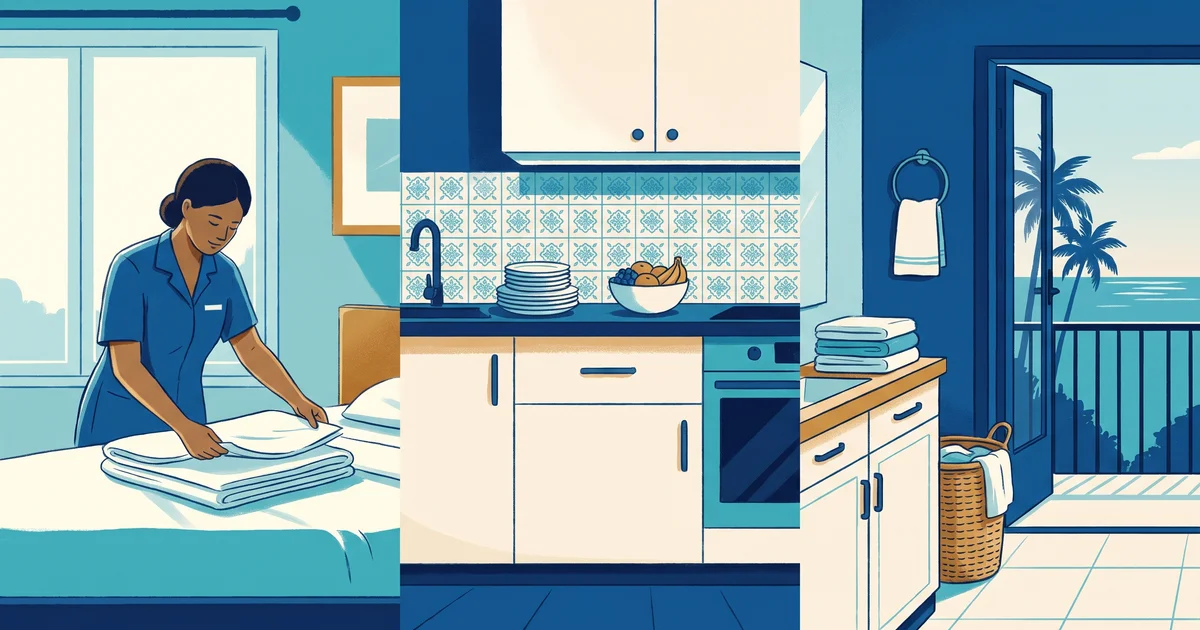
Copy this list into your phone or a shared note and adapt it to your condo. Work top to bottom and dry to wet in each room.
On arrival
- Open windows or switch on ventilation.
- Walk through once before touching anything and note damage, missing items or anything left behind.
- Photograph any damage before cleaning, with the date visible on your phone.
- Collect all used linens and towels in one bag.
Kitchen
- Wash, dry and put away any dishes, and run the dishwasher if there is one.
- Empty, wipe and check the fridge and freezer; remove food left by guests.
- Clean the stovetop, oven door, microwave and coffee maker.
- Wipe counters, cabinet fronts, handles and the sink.
- Empty all bins, replace bags and take trash to the building’s collection point.
Bathroom
- Clean the toilet, sink, shower or tub, tiles and mirror.
- Clear hair from drains.
- Replace towels, bath mat and toilet paper.
- Wipe the counter and check under the sink for leaks.
Bedrooms
- Strip every bed, check mattress protectors and pillows for stains.
- Make beds with fresh linens, the same way every time so photos and reality match.
- Check under beds, behind curtains and inside drawers and closets.
- Count hangers and spare blankets.
Living area and balcony
- Dust surfaces, shelves, remote controls and light switches.
- Vacuum or sweep, then mop hard floors.
- Wipe the balcony table and chairs and sweep the floor.
- Put furniture and cushions back to the layout in your listing photos.
Restock
- Toilet paper, soap, shampoo and any amenities you list.
- Dish soap, sponges, trash bags and basic kitchen supplies you promise.
- Batteries for remotes and a working light bulb in every fixture.
Final walk-through
- Test the air conditioning, Wi-Fi, TV, hot water and door lock.
- Check that the Wi-Fi details and house rules left for guests are current.
- Close windows, set the temperature you leave for arrivals and turn off lights.
- Send yourself, or the owner, a short report: done, issues found, supplies running low.
Turnover steps in order
The checklist says what to clean; the order says how to finish on time:
- Confirm the checkout. Make sure the guest has actually left before anyone enters.
- Start laundry first. Linens take the longest, so get them washing before you clean.
- Clean wet areas, then dry areas. Kitchen and bathroom first, floors last.
- Restock while things dry. Use waiting time for supplies.
- Walk through and report. A photo of each room after cleaning helps if a guest later reports a problem.
- Update your records. Note damage, lost items and supplies to buy before the next stay.
If you hand turnovers to a cleaner or a neighbor, put this order and the checklist in writing. The guide on how to manage your own vacation rental covers what to delegate and what to keep. If you’re still preparing your first listing, how to start a short-term rental explains the setup before guests arrive.
A hypothetical example: one condo, two channels
This example is fictional and only illustrates the process.
Valeria owns a one-bedroom condo she lists on Airbnb and Booking.com and also rents directly. A guest checks out on Saturday at the time stated in her listing. Her cleaner, Rosa, uses the checklist above: laundry first, then kitchen and bathroom, then bedroom and floors. During the walk-through Rosa finds a cracked glass and a dripping bathroom faucet. She photographs both, sends Valeria a short report and notes that dish soap is running low.
That afternoon, a returning guest messages Valeria asking whether the condo is free from Monday for three nights, as a direct stay. Valeria first checks with Rosa that the faucet can be fixed by Monday. Then she opens Airbnb and Booking.com at that moment: the nights are free on both. She replies with the dates, number of guests and total, and the guest accepts. Valeria confirms in writing and immediately blocks those three nights on Airbnb and Booking.com, the two channels where this condo is listed, then checks that both show them as unavailable. The steps for that are in how to block dates on Airbnb and Booking.com.
Where Miresev fits
Miresev doesn’t schedule cleaners or run your turnover checklist. What it does is help with the booking side around each turnover. Each condo gets its own booking page where guests see an estimated price that includes the stay and cleaning before they send a request, and the Free plan includes one active condo with its booking page, booking requests and guest registration. Features such as the condo calendar, manual blocks, buffer nights and external calendars need a paid plan, so check what each plan includes on the pricing page before you count on them. If you’d like to start with a direct booking page for your first condo, you can create your Miresev account.
Frequently asked questions
What should guests do at checkout on Airbnb?
Keep it simple. Airbnb’s checkout guidance points to requests like locking up, returning keys and turning off lights. Its house rules policy lists stripping beds, taking trash offsite and washing dishes as examples of tasks a cleaner would typically do.
How long does an Airbnb turnover take?
It depends on the size of the condo, laundry, and who cleans. Time a few turnovers with your own checklist before you promise early check-ins or decide on buffer nights.
Should my cleaner report damage before cleaning?
Yes. Photograph damage and items left behind before cleaning starts, so you have a record if you need to contact the guest or the platform.
Do I need a different checklist for each platform?
No. The cleaning itself is the same. What may differ is the checkout instructions shown on each listing, so check each platform’s current rules before you write them.