An Airbnb welcome book answers the questions guests would otherwise send you at 11 p.m.: how to get in, the Wi-Fi password, how the hot water works, where the trash goes. This guide is for owners and managers of one to three condos or apartments. It gives you a fillable welcome book template, explains which details belong in a private message and which can sit on the kitchen counter, and shows how to keep one version for Airbnb, other platforms and direct guests. There’s a hypothetical example and a short checklist near the end.
This isn’t a house rules template or a cleaning list. For those, use the Airbnb house rules template and the Airbnb cleaning checklist. The welcome book only summarizes them and points to them.
What a welcome book is for
A welcome book (some hosts call it a house manual or guest guide) is the practical “how this place works” document. It should help a guest who has just arrived, is tired, and may not speak your language well. That means short sections, plain words and the most urgent information first.
It works best in two formats:
- A digital version you send after the booking is confirmed, so guests can read it before they travel.
- A printed copy in the condo, in a visible place, for anyone who didn’t open the message.
On Airbnb, much of this already has a home. Airbnb’s guide to making check-in and checkout easy says the listing’s Arrival guide is where you set the check-in method and time, directions, house manual and Wi-Fi password. Its help article on adding check-in instructions says guests see the check-in method but not the detailed instructions until 48 hours before check-in. Menus change, so confirm the current wording in Airbnb’s help before you rely on it. Your welcome book should match what you entered there, not contradict it.
Public details vs. private details
Before you write anything, split your information in two:
- Fine to print and leave in the condo: appliance instructions, trash and recycling, a summary of house rules, checkout steps, local recommendations, emergency numbers.
- Only for the confirmed guest, sent privately: exact address, door or lockbox codes, Wi-Fi password if it doesn’t change, parking spot number, your personal phone.
Never put access codes on your booking page, in a listing description or in a document you share before confirmation. If you change a code between stays, update the welcome book the same day.
Welcome book template (copy and fill in)
Keep each section to a few lines. Replace everything in brackets.
1. Welcome
- Welcome to [condo name]. I’m [your name], and you can reach me at [channel and hours].
- In an emergency, call [local emergency number] first, then message me.
2. Getting in
- Check-in from [time]. Checkout by [time].
- Building entrance: [how to find it, who is at the desk, what to say].
- Door access: [sent privately; write “see your confirmation message” in the printed copy].
- Parking: [where, how many cars, any permit].
3. Wi-Fi and devices
- Network: [name]. Password: [sent privately or printed inside the condo].
- TV and streaming: [which remote, which input].
- Air conditioning or fans: [how to turn on, recommended setting].
4. Kitchen and appliances
- Stove, oven, microwave: [any quirks].
- Coffee maker: [type and what’s provided].
- Washer or dryer: [where, how to use, or “not available”].
- Drinking water: [tap, filter or bottled; check local guidance].
5. Bathroom and water
- Hot water: [how long it takes, any switch].
- What not to flush: [one line].
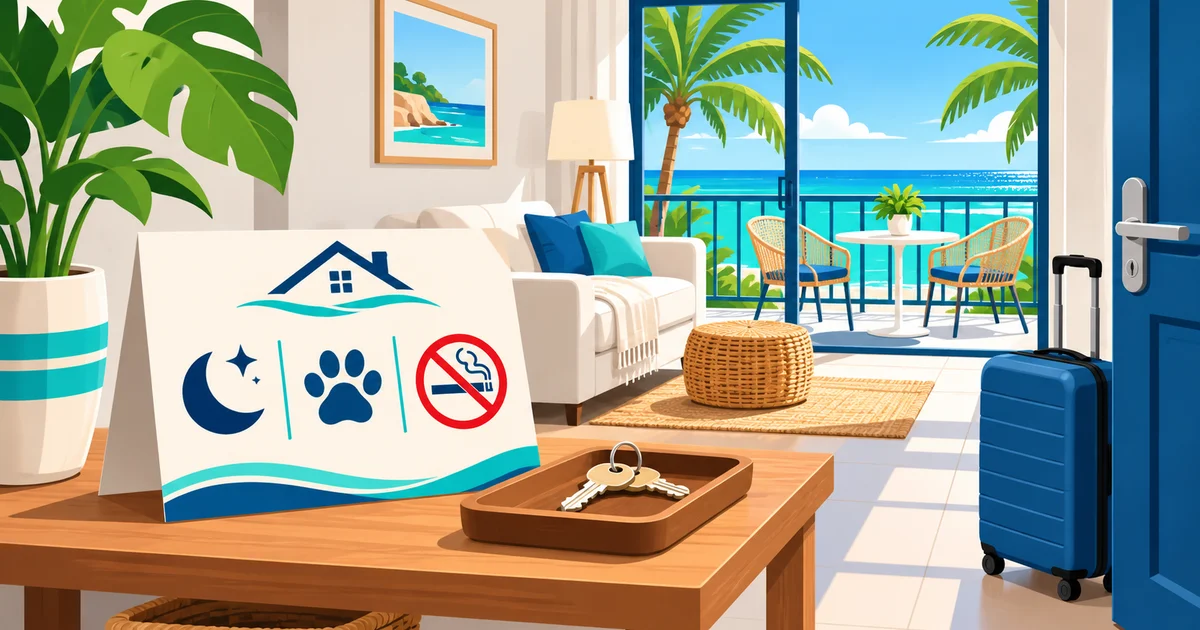
6. Building and house rules (summary)
- Quiet hours: [times].
- Pool, gym or common areas: [hours and building rules].
- Smoking, pets, visitors: [your rule].
- Full house rules: [where guests can read them].
7. Trash and recycling
- Where to take it: [location], and when: [days or times].
8. Checkout
- Two or three short requests, for example: lock the door, leave keys [where], turn off the air conditioning.
- Keep it to what’s reasonable. Airbnb’s own guidance on checkout tasks is summarized in the house rules and cleaning articles linked above.
9. Around the area
- Nearest grocery store, pharmacy and ATM.
- Two or three places you’d actually recommend.
- How to get a taxi or ride app pickup point.
10. If something breaks
- Message me with a photo at [channel]. Don’t try to repair [gas, electrical items].
One version across every channel
If the condo is on Airbnb and also takes direct bookings, keep a single master document. Then:
- Copy the relevant parts into Airbnb’s Arrival guide and house manual.
- Use the same text for direct guests and any other platform where that condo is listed.
- When you change something (a new code, a new appliance), update every copy at once and note the date at the bottom of the master file.
If you’re still preparing the condo itself, how to start a short-term rental covers house rules and arrival planning before your first guest. If you run the condo yourself from a distance, how to manage your own vacation rental explains what to put in writing for the person who helps you locally.
A hypothetical example: one condo, two channels
This example is fictional and only illustrates the process.
Sofía rents out “Coral”, a one-bedroom condo listed on Airbnb, and takes direct requests through her own booking page. She writes one welcome book from the template above, enters the arrival details in Airbnb’s Arrival guide and prints a copy for the kitchen drawer, with the door code replaced by “see your confirmation message”.
On a Wednesday, a returning guest asks about three nights the following weekend.
- Availability. Before replying, Sofía opens her own records and the Airbnb calendar for Coral. The nights are free, including the night she keeps for cleaning.
- Confirmation. She sends the dates, total, payment steps and cancellation terms in one message. The guest accepts and completes the agreed payment step, and Sofía confirms in writing.
- Blocking. Straight away, she blocks those three nights on Airbnb, the only platform where Coral is listed. She doesn’t touch any other listing. The steps are in how to block dates on Airbnb and Booking.com.
- Welcome book. Only now does she send the digital welcome book and, separately, the door code and Wi-Fi password.
When a guest later asks where to leave the trash, she adds a clearer line to section 7 and updates both the printed copy and the Airbnb house manual that afternoon.
Checklist before you share it
- Every section fits on one screen of a phone.
- Access codes and the exact address only go to confirmed guests.
- The text matches Airbnb’s Arrival guide and any other channel for that condo.
- House rules and checkout steps are summarized, with a pointer to the full version.
- Emergency numbers and your contact hours are at the top.
- There’s a printed copy in the condo and a date on the master file.
Where Miresev fits
Miresev doesn’t write your welcome book, but it can carry part of it for direct bookings. When you confirm a reservation, the guest receives an email with the location, Wi-Fi, and arrival and payment instructions you’ve saved for that condo. Each stay also has a private guide link with the location, Wi-Fi and payment instructions. Anyone who has that link can see it, so share it only with your guest. It stops working if the stay is cancelled or expires.
Miresev’s free plan includes one active condo with its booking page, booking requests and guest registration. Calendars, blocks and external calendars need a paid plan, so check what each plan includes on the pricing page before you count on a feature. If you’d like a place for direct guests to send requests, you can create your Miresev account and set up your first condo.
Frequently asked questions
What should an Airbnb welcome book include?
Check-in and access, Wi-Fi, appliance instructions, a summary of house rules, trash, checkout steps, local tips and who to contact if something breaks. Put the most urgent information first.
Should I put the door code in the welcome book?
Not in the printed or shareable version. Send codes and the exact address privately to the confirmed guest, and write “see your confirmation message” in the printed copy.
Is Airbnb’s house manual the same as a welcome book?
It covers similar ground. Airbnb lets you add a house manual and Wi-Fi details in the listing’s Arrival guide. A separate welcome book helps you reuse the same text for direct guests and keep a printed copy in the condo.
How often should I update my welcome book?
Whenever something changes, such as a new code, appliance or building rule, and whenever guests keep asking the same question. Update every copy at once.